Addon
Chain Builder
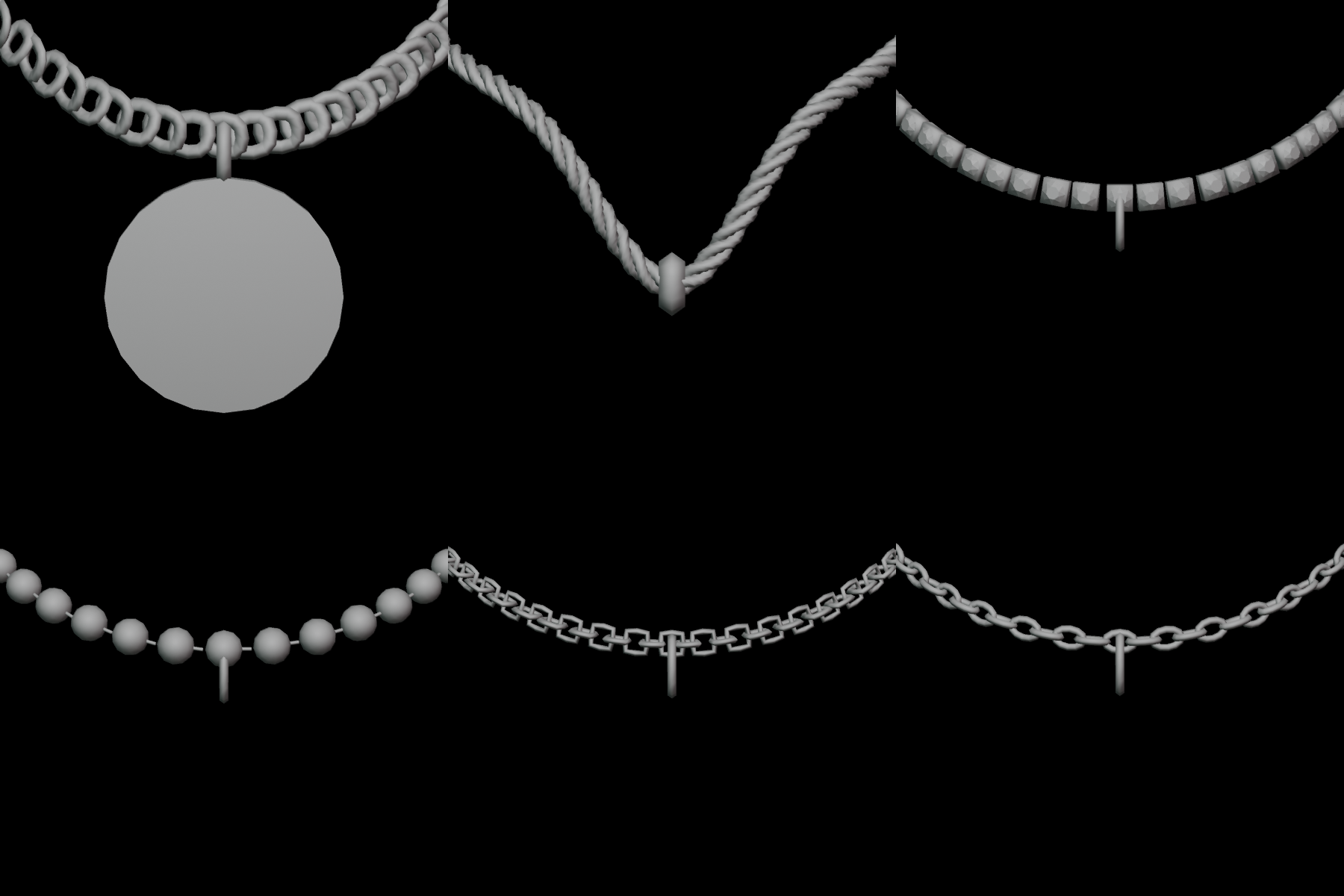
Cuban, rope, tennis, beads, box and cable chains, fitted to the freemode neck, weighted and ready for a pendant.
Chain Builder makes GTA V / FiveM chains that already sit on the freemode neck. Every chain comes weighted, UV'd, with JoKeR jewellery materials and a bail (loop) for a pendant. Panel: N panel › Chain Builder.
It works on its own. With the JoKeR Clothing Creator installed too, the chain goes straight into its hierarchy and export, and the pendant swing buttons show up.
Quick start
Pick the basics
Choose a Style, Length, Link Size and Metal.
Build New Chain
It appears on the freemode neck, or on your rig if the scene has one freemode rig.
Tweak it
Change any setting and the selected chain rebuilds straight away (Live Update).
Styles
Changing the style loads its default link size and thickness.
- Length (cm): 45–50 sits on the collarbones, 55–60 on the chest, 70+ lower.
- Link Size / Thickness (mm): link length (or stone / bead size, rope thickness) and wire thickness.
- Detail: Low / Medium / High. The panel shows the triangle count and warns above 20,000, which is heavy for one GTA item.
Fit
- Body: Male or Female freemode neck.
- Neck Size: wider or tighter round the neck. Drape: round U (0) to deep V (1).
- Height and Sit Out (mm): move it up or down, or away from the body (for a thick hoodie).
- Editable Path: turns the fitted path into a curve. Move its points in Edit Mode, then press Rebuild Chain. The chain follows your curve (Path: My Curve).
- If the scene has a freemode rig, the chain fits that rig (even when it has been moved) and gets an Armature modifier for it.
Look
- Metal: Gold, Silver or Chrome. Stones (tennis): VVS, Diamond, Purple Diamond, Black Diamond. These are the JoKeR jewellery materials (real Sollumz shaders), bundled with the addon.
- Vertex Colour: JoKeR Pink (Colour 1) + transparent black (Colour 2), or white.
- Weights: Chest (everything follows
SKEL_Spine3) or Neck + Chest (the back of the chain followsSKEL_Neck_1). - Bail: the loop at the front centre for a pendant, and its size.
Adding a pendant
Select pendant, then chain
Select your pendant mesh, then the chain last so it is the active object.
Attach Pendant
The top of the pendant is hung on the bail. With Join Into Chain (on by default) it becomes part of the chain mesh: one GTA item. Change the chain afterwards and the pendant stays, moving with the bail.
Make it swing (Clothing Creator)
Select Pendant (Edit Mode with only the pendant selected), then Make Pendant Swing.
Preview the swing
Back in Object Mode with the chain selected, press Preview Swing, then Space to play a walk-and-turn test. Press Stop before exporting.
Good to know
Make Pendant Swing, Preview Swing and Stop only appear when the JoKeR Clothing Creator is installed.
Made your pendant with the Pendant Shape Maker? Use its Hang on Chain button instead.
Export
The chain is a normal mesh. Use the Clothing Creator (Add / Fix Hierarchy, then Export Clothing Assets or the
Pack Manager) or your own Sollumz workflow. It already has UVMap 0, Color 1, Color 2, Sollumz materials
and bone weights. Rebuilding after Add / Fix Hierarchy keeps the hierarchy.
Good to know
- The chain's own links are rebuilt every time. Anything you added yourself (a joined pendant, extra parts) is kept.
- Edits to the generated links themselves are replaced on the next rebuild, so untick Live Update before you start editing links by hand.
- The fit is based on the freemode skeleton and the JoKeR starter chain. For bulky clothes use Sit Out, Neck Size or Editable Path.